Andrey Mikhalchuk's Blog

A Blog about Life, the Universe, and Everything

  • Home
  • How To
  • Web
  • Robotics
  • Hardware
  • Software
  • Travels
  • Linux
  • Windows
  • Misc
×
 Posted in How To, Windows

Windows Explorer: how to enable labels in the thumbnail view

 March 20, 2008  Leave a comment

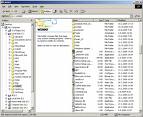
Windows ExplorerSo you did something and your windows explorer is now displaying thumbnails without labels?

Here is how to cure it: switch to any other view mode and then switch back to thumbnail view while holding shift key. Nice! How many tiny features like this one windows hides inside?


Share: TwitterFacebookPinterestRedditVKDiggLinkedin
Tagged enable, explorer, how to, labels, thumbnail, view, Windows

Related Articles

  • Fixing Oracle SOA suite email drive pop3 problem: “PKIX path building failed: sun.security.provider.certpath.SunCertPathBuilderException: unable to find valid certification path to requested target”
  • AWS EC2 ssh not responding in RHEL 6.4 AMI
  • Photo from unsplash
    How to migrate ownCloud 6 from sqlite to MySQL
  • How to submit your youtube videos to blinkx

Post navigation

← Previous
Pizza.com domain auction details
Next →
Pizza.com is being auctioned. Will it become another multimillion domain?

Leave a Reply Cancel reply

You must be logged in to post a comment.

Copyright © 2026 Andrey Mikhalchuk's Blog