Andrey Mikhalchuk's Blog

A Blog about Life, the Universe, and Everything

  • Home
  • How To
  • Web
  • Robotics
  • Hardware
  • Software
  • Travels
  • Linux
  • Windows
  • Misc
×
 Posted in How To, Windows

Windows Explorer: how to enable labels in the thumbnail view

 March 20, 2008  Leave a comment

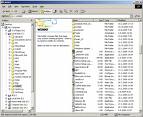
Windows ExplorerSo you did something and your windows explorer is now displaying thumbnails without labels?

Here is how to cure it: switch to any other view mode and then switch back to thumbnail view while holding shift key. Nice! How many tiny features like this one windows hides inside?


Share: TwitterFacebookPinterestRedditVKDiggLinkedin
Tagged enable, explorer, how to, labels, thumbnail, view, Windows

Related Articles

  • Solving “configure: error: C++ compiler cannot create executables” problem
  • “Setup cannot continue because some system files are out of date on your system.”
  • Photo by Timelab Pro on Unsplash
    How to Run (go)Harbor Docker Registry with Notary Behind Nginx Reverse Proxy
  • “553 sorry, that domain isn’t in my list of allowed rcpthosts; no valid cert for gatewaying” problem solving for Outlook, macmail, Plesk 8.2

Post navigation

← Previous
Pizza.com domain auction details
Next →
Pizza.com is being auctioned. Will it become another multimillion domain?

Leave a Reply Cancel reply

You must be logged in to post a comment.

Copyright © 2026 Andrey Mikhalchuk's Blog